1. Open Outlook
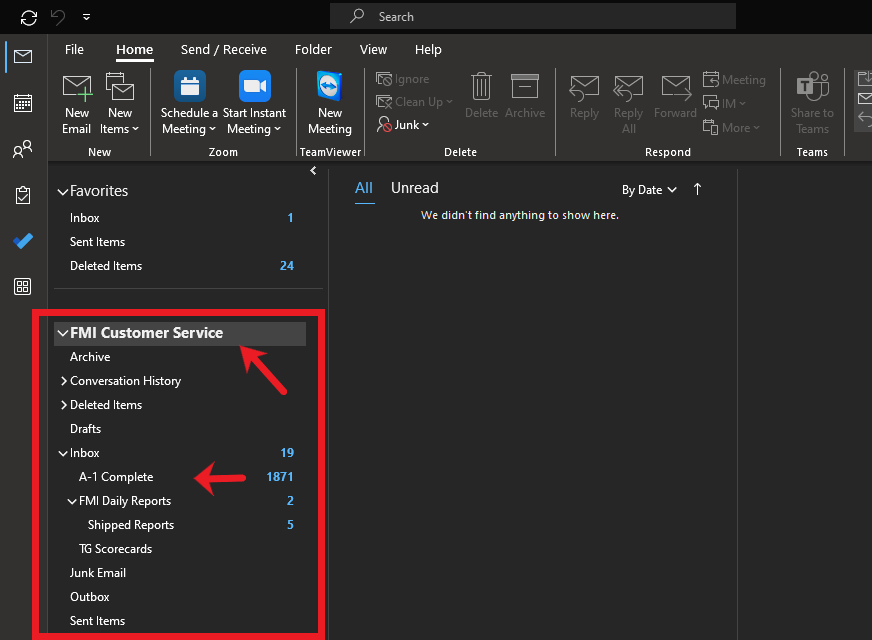
2. Locate and Select the folder you want to run the search on
Ex: A-1 Complete Folder (FMI Customer Service mailbox)
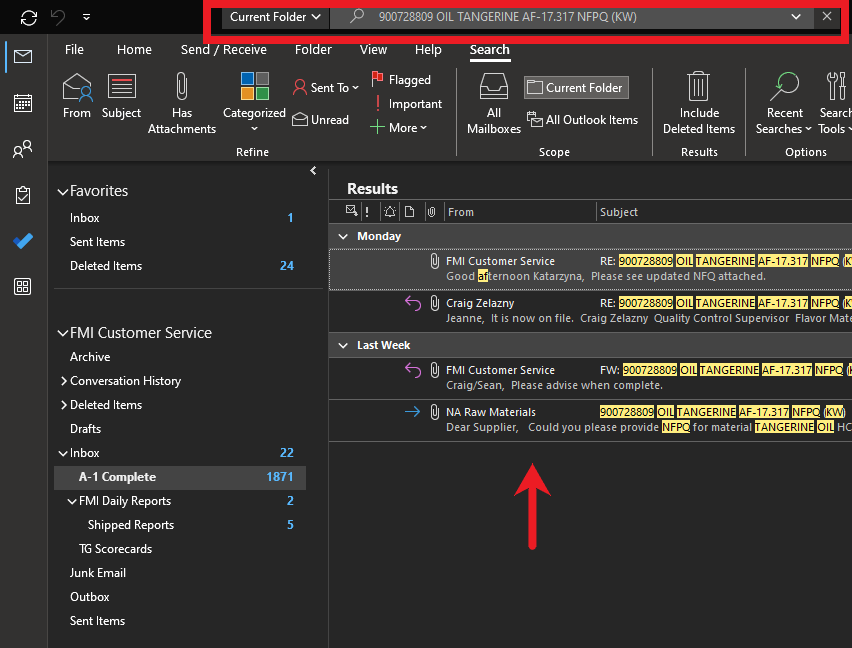
3. Enter the "item" in the search bar you are looking for
Ex: 900728809 OIL TANGERINE AF-17.317 NFPQ (KW)
4. On the left hand side of the search bar you should see a field that says one of the following (All Mailboxes, Current Folder, or All Outlook Items). Please select the arrow drop down guide and select Current Folder
5. The search should then populate the email(s) you are looking for
Was this article helpful?
That’s Great!
Thank you for your feedback
Sorry! We couldn't be helpful
Thank you for your feedback
Feedback sent
We appreciate your effort and will try to fix the article