1. Login to TeamViewer
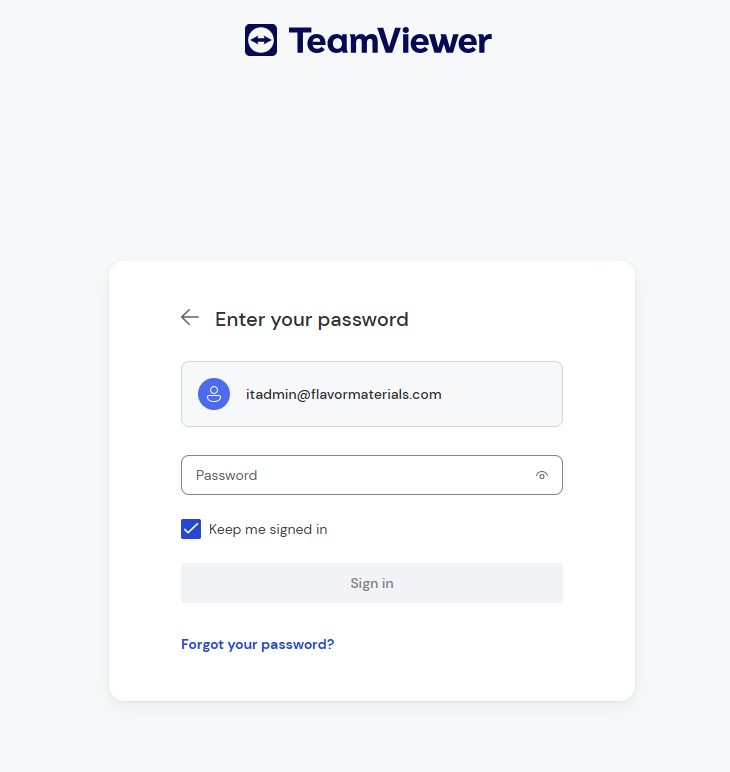
NOTE: This is different from your windows login password 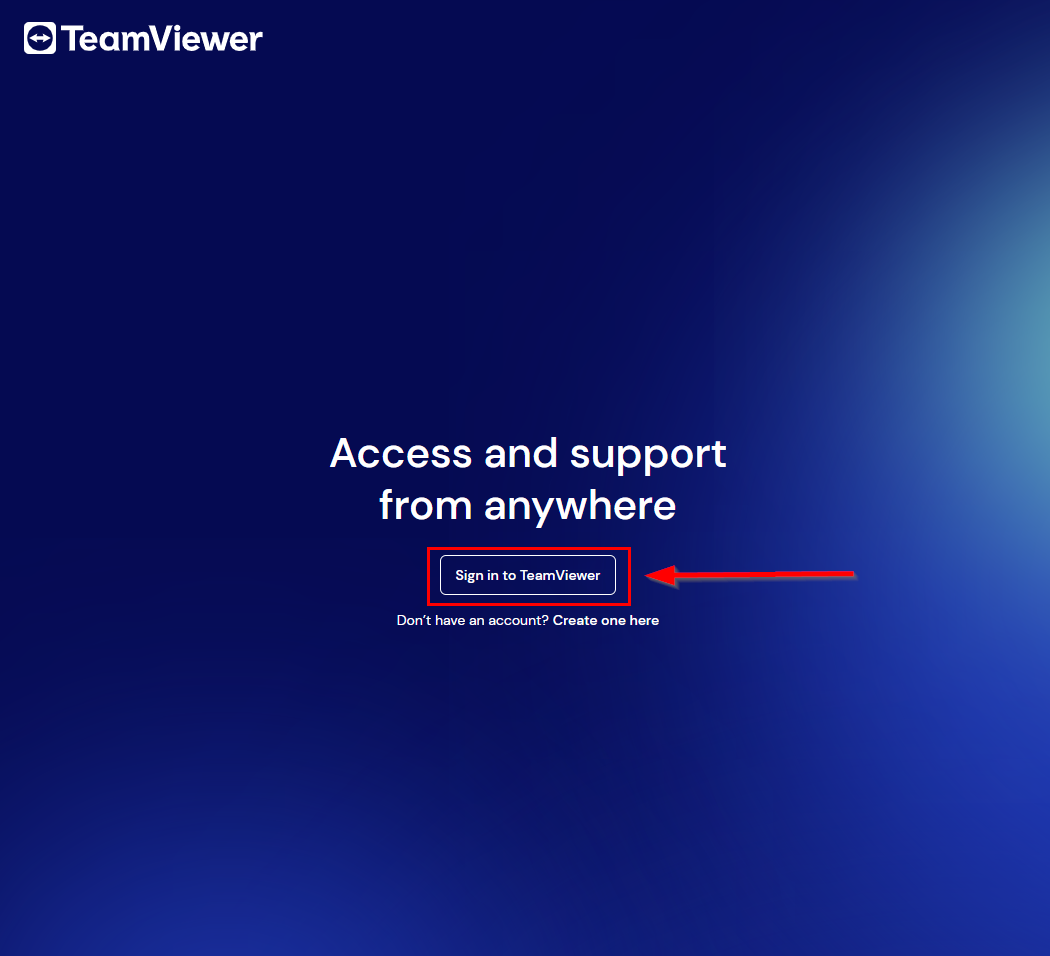
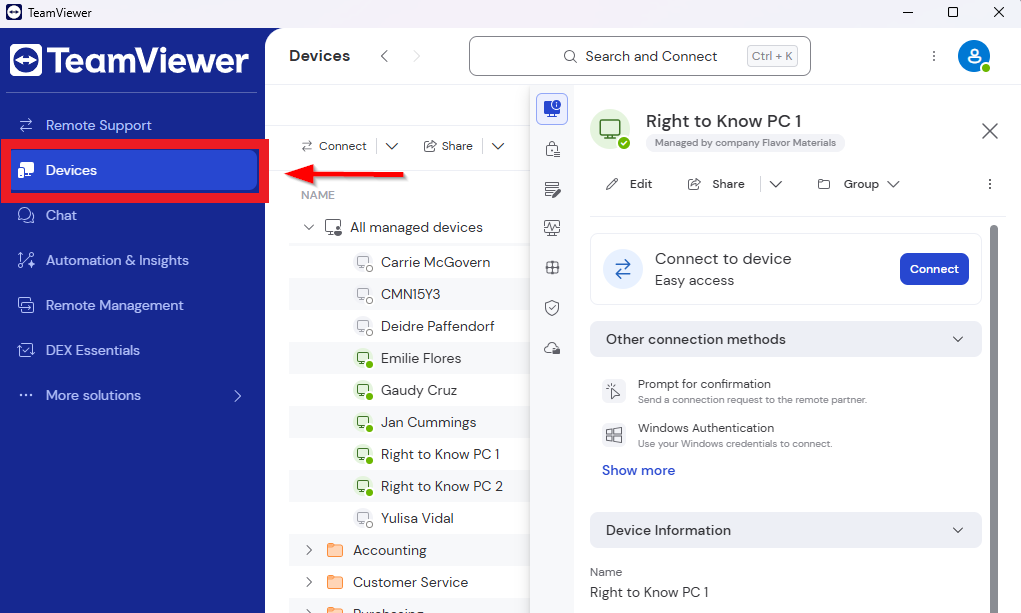
2. Once logged in you will want to look for the "Devices" tab and select that
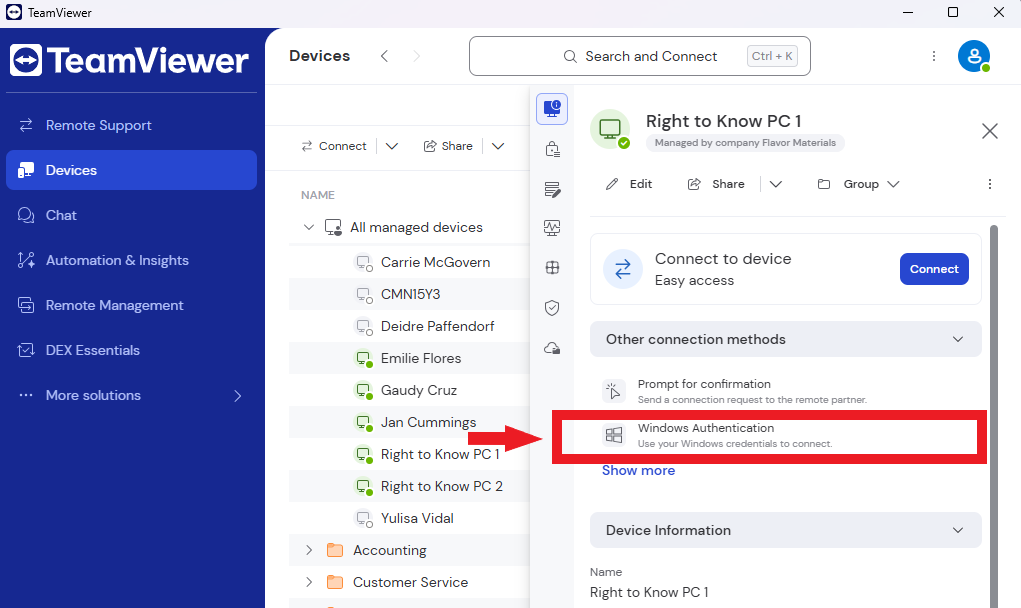
3. Find your Device and select it
NOTE: The device will be under your name (EX: Chris Ramos)
4. Select "Windows Authentication"
NOTE: A window prompt will appear to login
5. Enter your Windows Authentication Credentials
NOTE: This will be your windows login credentials (See Example of login below)
Windows username: FLAVOR\CRamos
Windows Password: This is your daily PC windows login
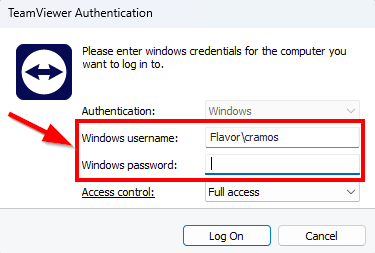
6. Select Log On
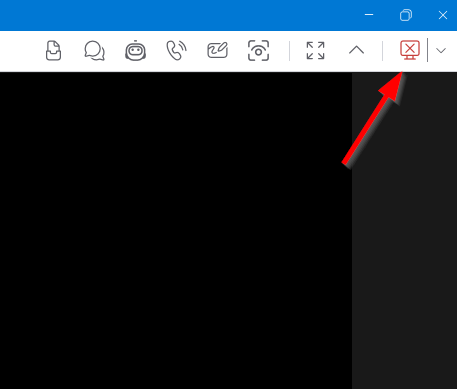
7. To Exit TeamViewer you will want to hit the Red "X" on the top right hand corner
NOTE: Do not hit the "X" above the Red X as that will keep TeamViewer running in the background
Was this article helpful?
That’s Great!
Thank you for your feedback
Sorry! We couldn't be helpful
Thank you for your feedback
Feedback sent
We appreciate your effort and will try to fix the article